

Holdings
Holdings are the funds a plan is invested in, with how many units the client holds, the price and the value. They drive the allocation bar on the plan, so you can see at a glance how much sits in equities, bonds, property and cash.
Where to find it
Holdings are a tab on each plan's page, at https://app.templi.ai/plans/<plan>/holdings. To get there, open the client, click their Plans tab, click the plan, then click Holdings. You can also start from Library > Plans. The tab shows how many holdings the plan has, and the plan's Overview tab lists the five largest. See Plans for the rest of the plan's page.
See a plan's holdings
Open the plan and click the Holdings tab. Each fund shows its units, price, value and weight, meaning its share of the plan, with a total at the bottom. Any ISIN, SEDOL or provider code shows under the fund name.
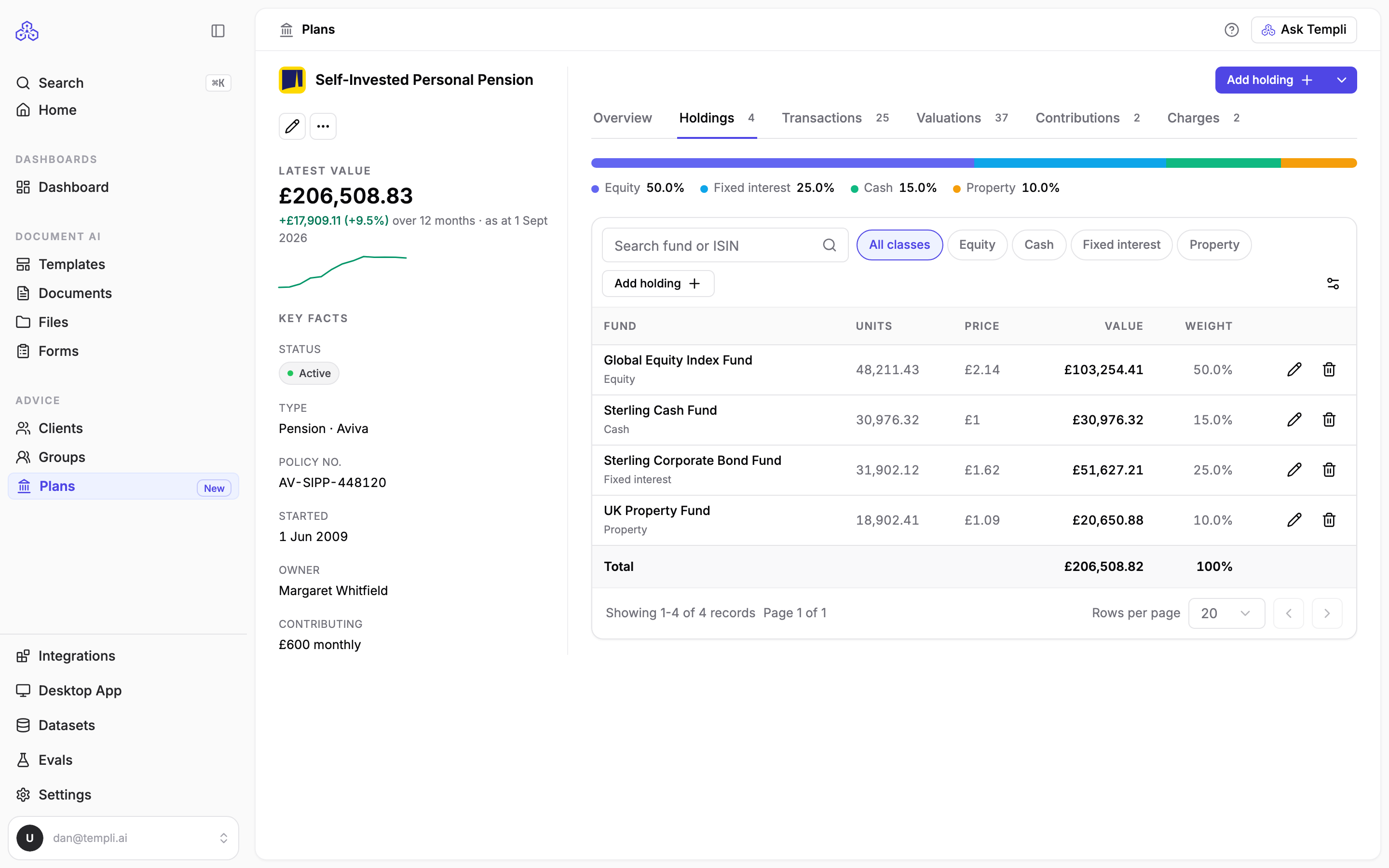
Search by fund name or ISIN, or filter by asset class: Equity, Fixed interest, Property, Cash, Multi-asset, Alternative or Other.
Ask Templi to update holdings
Open Ask Templi and type, for example, Add 48,210 units of the Global Equity Index Fund at £2.14 to Sarah Winters' SIPP, or attach the provider's statement and ask Update the holdings on Sarah's SIPP from this valuation statement. Templi records the funds and tells you what it changed.
Add a holding yourself
On the Holdings tab, click Add holding.
Enter the fund Name and choose its Asset class.
Under Identifier, enter the ISIN, SEDOL or the provider's own fund code. Templi works out which kind of code it is.
Enter the Units and Unit price. Templi fills in the Value; type over it if the provider quotes a different figure.
Set Valued on to the date of the price.
Click Add holding, or Save and add another for the next fund.
To change or remove a fund, use the edit or remove buttons on its row.
Holdings from your back-office system
Imported holdings show which valuation their prices came from. Their units, price and value are locked so they match your back-office system. To change them anyway, open the holding and click Override.
Asset class is often blank on imported funds, because back-office systems rarely say what a fund invests in. Set it yourself where the split matters, for example before writing a suitability report.