

Desk, your home page
Desk is the page Templi opens on. It is where you start a chat, see the meeting coming up next and clear the things waiting on you. Click Desk at the top of the sidebar to come back to it from anywhere.
Where to find it
Sidebar: Desk, just below Search. A number beside it counts your open Needs you items.
URL:
https://app.templi.ai/
What's on your Desk
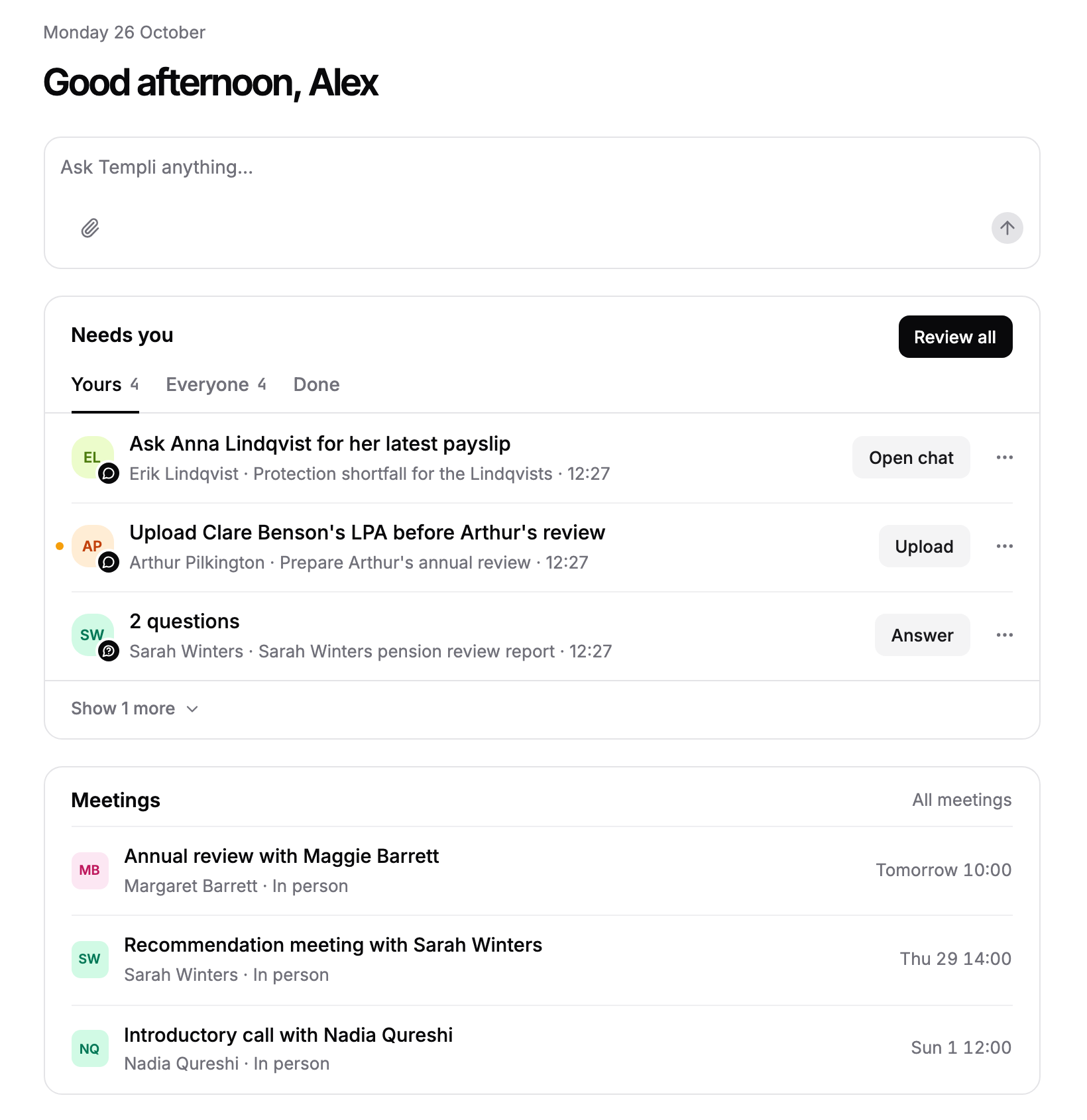
From top to bottom, Desk shows today's date and a greeting, then these blocks:
Chat box. Type into Ask Templi anything… and send. The chat opens on its own page and stays in your Chats list.
Up next. Appears when a meeting starts within the next two hours, with its time, platform and clients. Once the meeting is due, click Start now: for an online meeting Templi's notetaker joins the call, and for an in-person meeting recording starts. Before then, Open takes you to the meeting.
Needs you. The items waiting on you or your team. See the next section.
Meetings. Your next three meetings, headed Later when Up next is showing. All meetings opens the Meetings page.
Work through Needs you from Desk
The Needs you card shows three items at a time, across three tabs:
Yours: items assigned to you.
Everyone: items waiting on anyone in your firm.
Done: items you have closed.
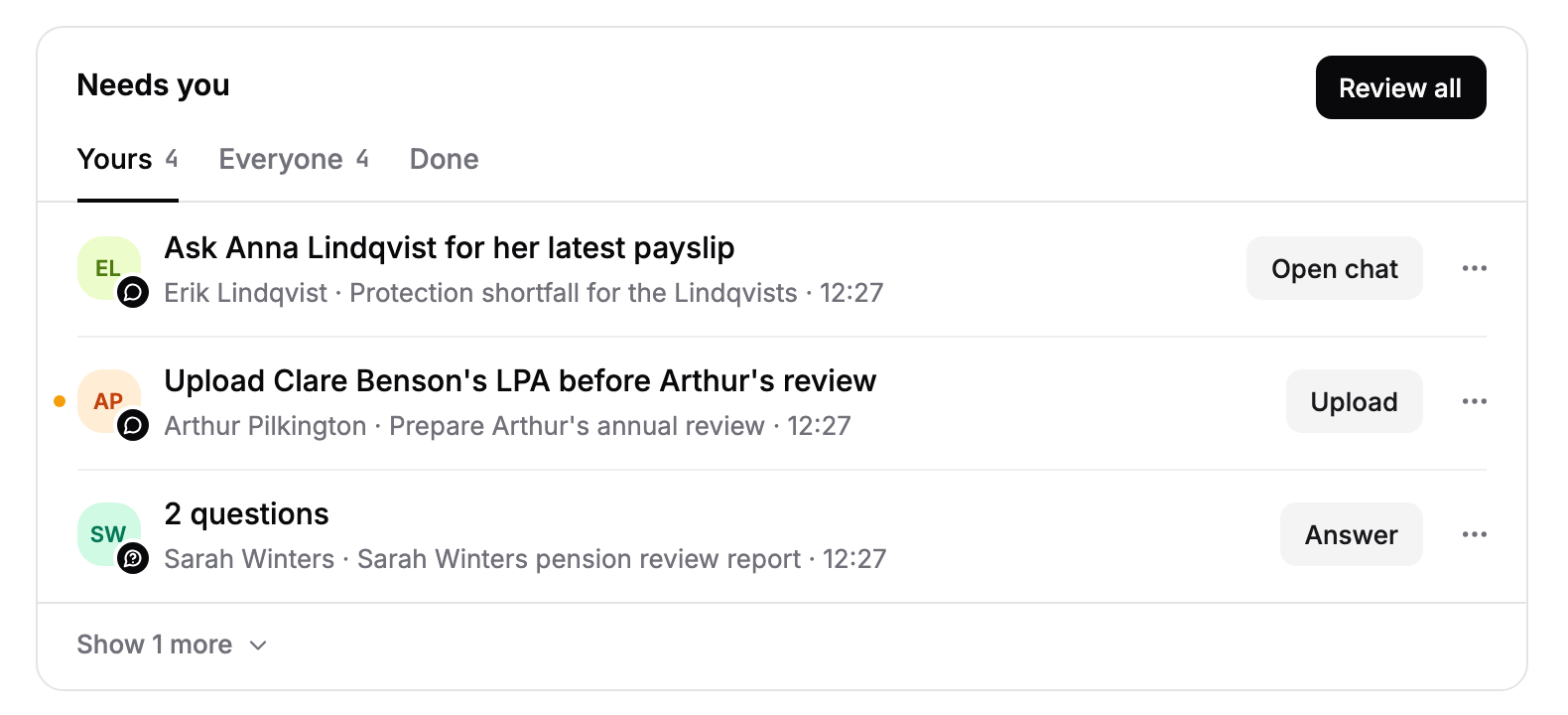
Click an item to open the chat, meeting, fact find or connector it is about.
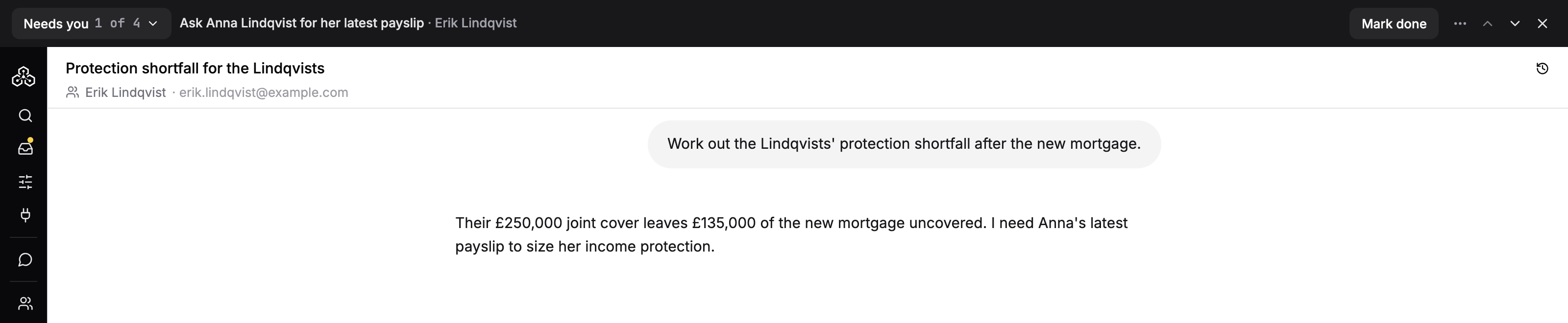
Or click Review all to step through every open item in turn. A bar across the top of the screen shows the item you are on, with Mark done and arrows for the previous and next item.
When the last item is closed, the bar shows All clear. Click Back to Desk.
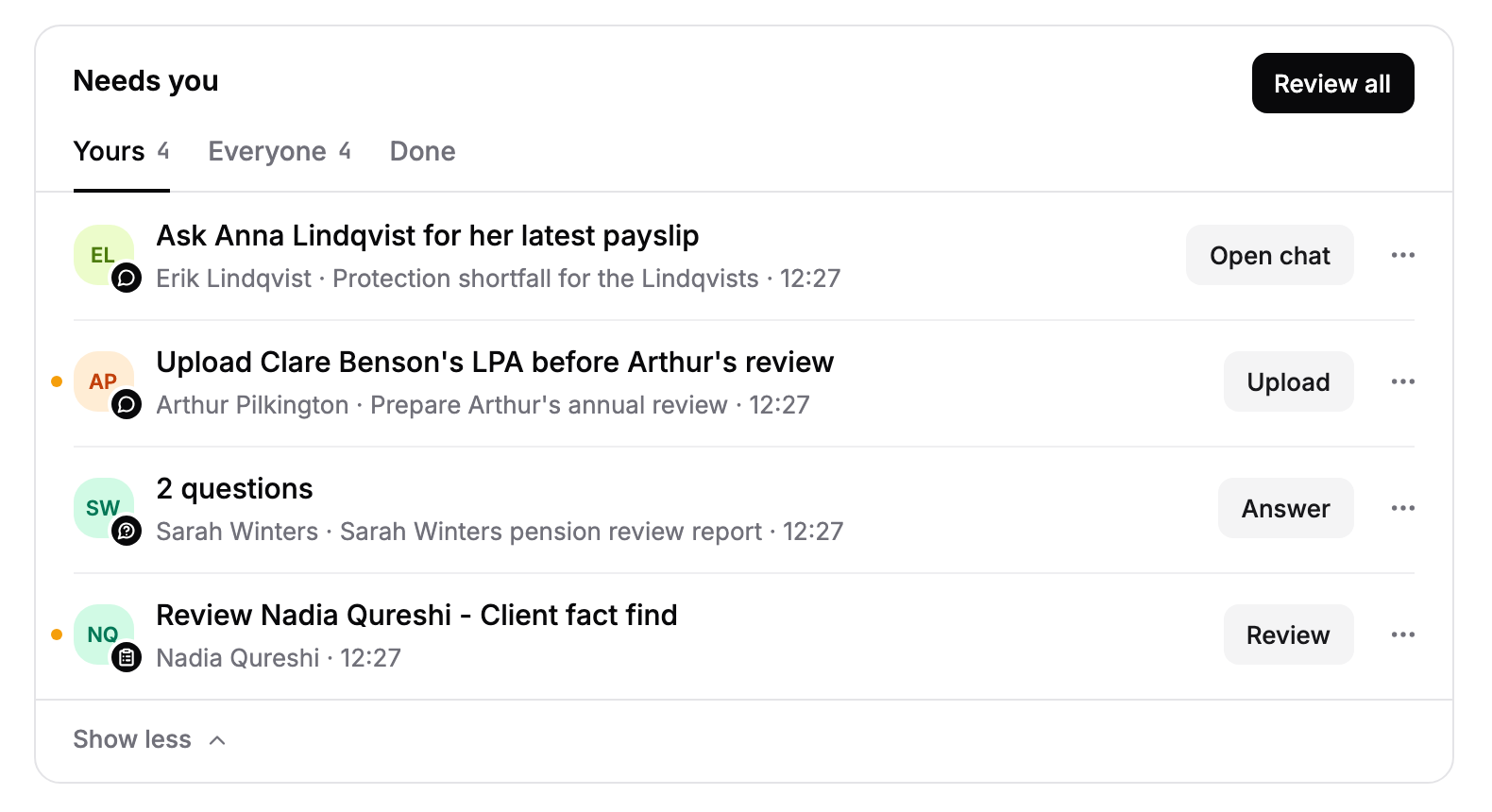
When there are more than three items, click Show and the number hidden, such as Show 1 more, at the bottom of the card to expand it. When more items are waiting than the card has loaded, See all opens the full Needs you page with snoozed items and search.
Ask Templi from Desk
The chat box on Desk starts a new chat with no client attached. Name the client in your message and Templi finds them. For example:
"Prepare me for Sarah Winters' annual review on Thursday. Summarise her pensions and ISAs and anything outstanding from last year."
"Which of my clients have a protection review due this month?"
To start a chat that already knows the client, use the message box in the client's hub instead.