

Contributions
Contributions record what is paid into a plan, how often, who pays and how tax relief works. Regular contributions show on the plan under Contributing, as the single payment or, when there are several, a yearly total.
Where to find it
Contributions are a tab on each plan's page, at https://app.templi.ai/plans/<plan>/contributions. To get there, open the client, click their Plans tab, click the plan, then click Contributions. You can also start from Library > Plans. The Contributing line sits under About this plan, on the right of every tab. See Plans for the rest of the plan's page.
See a plan's contributions
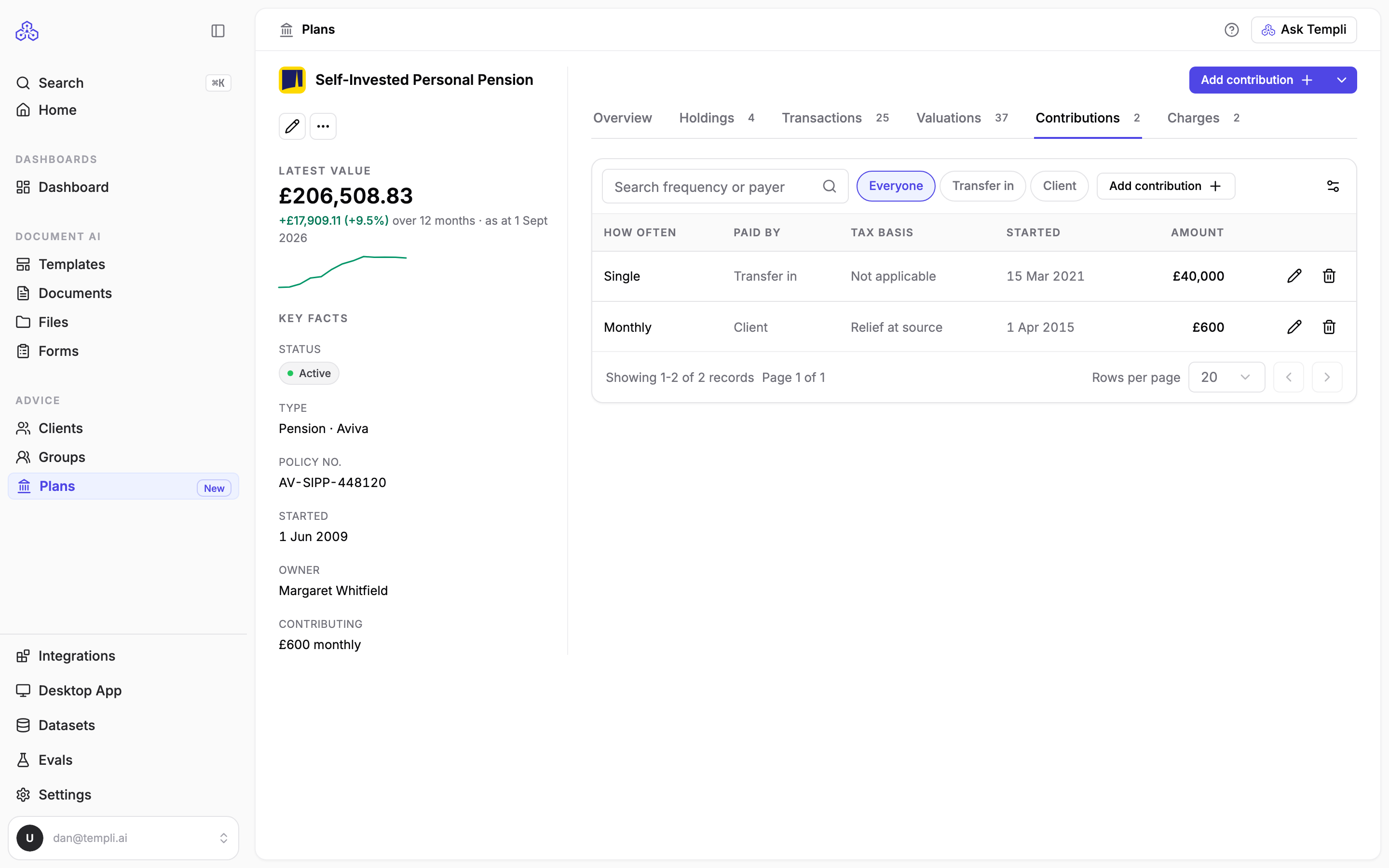
Open the plan and click the Contributions tab. Each row shows how often it is paid, who pays, the tax basis, when it started and the amount. Filter by who pays to separate, for example, the client's and the employer's contributions to a workplace pension, or search by frequency or payer.
Ask Templi to record a contribution
Open Ask Templi and type, for example, Sarah Winters pays £420 a month into her Royal London workplace pension by salary sacrifice, and her employer adds £630, or Sarah stopped her ISA contributions at the end of August.
Add a contribution yourself
On the Contributions tab, click Add contribution.
Choose the Type: Regular for ongoing payments, or Single for a one-off lump sum.
For a regular contribution, choose the Frequency, such as Monthly or Annually.
Enter the Amount and, if it rises each year, the Escalation %.
Choose who it is Paid by: Client, Employer, Third party, Transfer in or Other.
Choose the Tax basis: Gross, Net, Relief at source, Net pay, Salary sacrifice, Not applicable or Unknown.
Enter Started on, and Stopped on if payments have ended, then click Add contribution.
To change or remove a contribution, use the buttons on its row.
Record a pension transfer as a Single contribution paid by Transfer in. It stays on the plan's history without counting towards the plan's Contributing figure.
Contributions from your back-office system
Intelliflo Office and Iress Xplan send contributions when you import. Plannr does not, so record contributions on Plannr plans yourself or ask Templi to.