

Connectors
Connectors link Templi to your back-office system, mailbox, calendar and file storage. On the Connectors page you connect a new one, reconnect one that has lost access, and disconnect one you no longer use.
Where to find it
Click Connectors in the sidebar, or go to https://app.templi.ai/integrations/apps. When a connection needs attention, the sidebar shows how many connectors need reconnecting next to Connectors.
Each connector has its own page at https://app.templi.ai/integrations/apps/<connector>:
Connector | Type | Page |
|---|---|---|
CRM |
| |
CRM |
| |
CRM |
| |
Calendars |
| |
Calendars |
| |
| ||
| ||
Files |
| |
Files |
| |
Files |
| |
Fundment | Platforms |
|
What the Connectors page shows
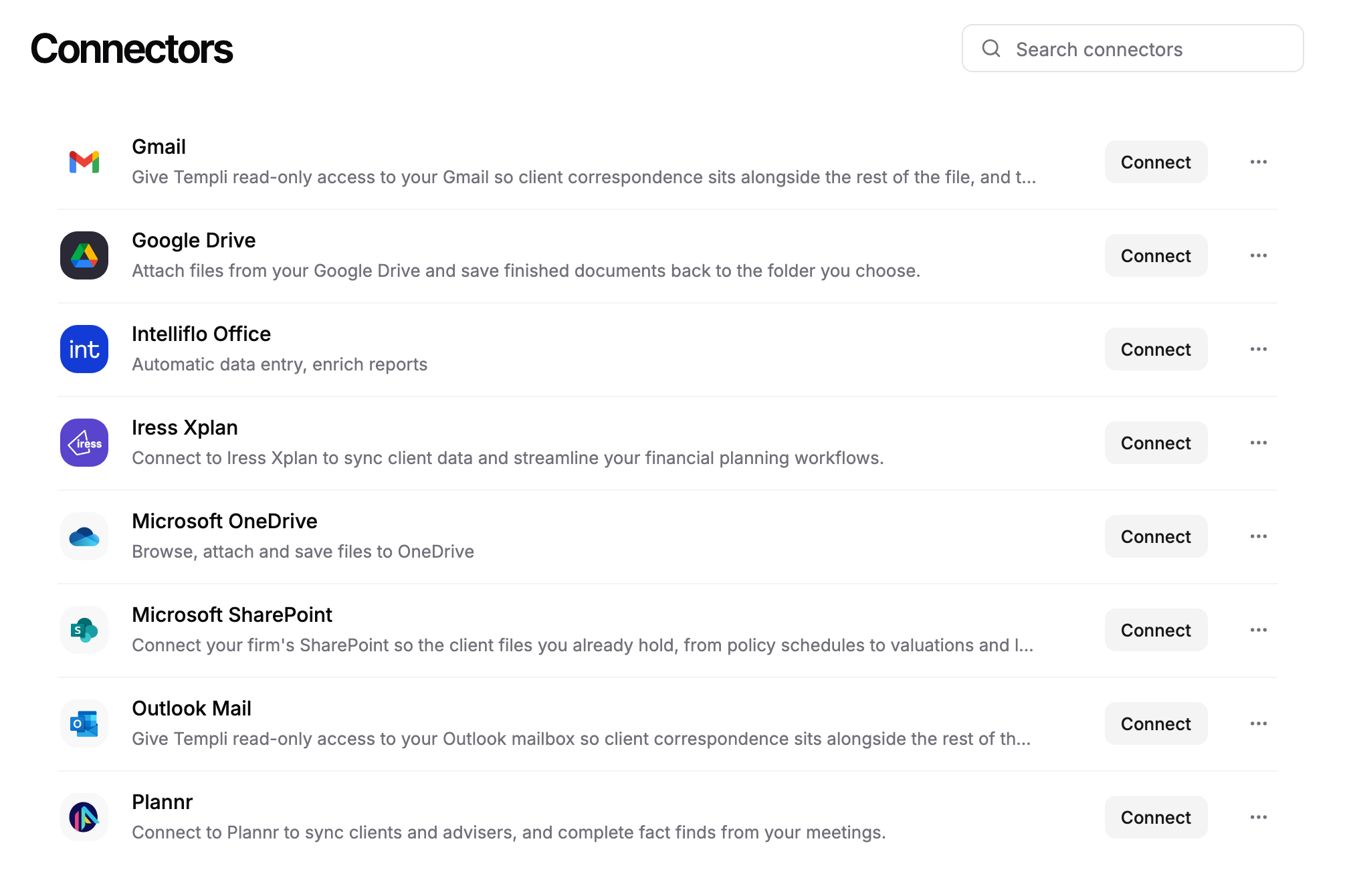
The list puts your connected connectors first, then the rest in alphabetical order. Type in Search connectors to filter by name, description, publisher or type.

The list shows Gmail, Google Drive, Intelliflo Office, Iress Xplan, Microsoft OneDrive, Microsoft SharePoint, Outlook Mail and Plannr. Google Calendar and Outlook Calendar are not in it. Connect a calendar in Settings > Meetings instead. See Calendar settings.
Connected means the connector is working.
Needs reconnecting means the connector has lost access and shows a Reconnect button.
A connector with no status is not connected yet and shows a Connect button.
Click a row to open the connector's page. It lists what the connector does, the permissions it asks for, its requirements and its price, with a Help centre link to the matching article here.
Who connects what
The type of connector decides who connects it.
CRM and platform connectors (Intelliflo Office, Iress Xplan, Plannr and Fundment) are shared by your whole firm and connected once. Only an Owner or Admin can connect or disconnect them.
Mail, calendar and file connectors are personal. Each person connects their own account, and nobody can connect one on someone else's behalf.
If Connect is greyed out on a connector's page, your role cannot connect that connector. Ask an Owner or Admin in your firm. Roles are set in Team.
Connect a connector
Have the account you will sign in with ready before you start, for example your Google or Microsoft 365 login, or an administrator login for your CRM.
In Connectors, click Connect on the connector's row, or open its page and click Connect.
Review the list under This app will be able to.
For Iress Xplan only, click Next and enter your site address in Xplan Site URL.
Click Authorise and connect.
Sign in to the other system in the tab that opens and approve the connection.
When the sign-in finishes, we store the authorisation and take you back to where you left off. The connector then shows Connected. If the sign-in is cancelled or fails, the connection does not complete. Start again from the connector's page.
After you connect a CRM, bring your clients across from Imports.
Reconnect a connector
A connector needs reconnecting when its sign-in expires or the other system revokes Templi's access. Until you reconnect, Templi cannot read from or write to that system. On the connector's page, the status shows the reason, such as Sign-in expired or Access revoked, and how long ago the connection stopped.
In Connectors, click Reconnect on the connector's row, or open its page and click Reconnect.
Sign in to the other system in the tab that opens and approve the connection again.
A long client import stops if the CRM connection drops part way. Reconnect the CRM, then retry the import from Imports.
Disconnect a connector
Disconnect a connector when you stop using the other system or want to remove Templi's access to it.
In Connectors, click the ... menu on the connector's row.
Click Manage, then click Disconnect on the connector's page.
The connector disconnects straight away, with no confirmation step. Templi stops reading from that system. Clients and plans you already imported stay in Templi. Disconnecting a CRM removes it for everyone at your firm.
Ask Templi
You can ask Templi how to connect something, and it answers from this help centre with the steps and the page to open. For example:
How do I connect Intelliflo so I can import Sarah Winters and the rest of my clients?