

Search Templi
Search finds a client, document, template, form, connector or settings page by name and takes you straight there. It also runs a few common actions, such as creating a client or starting a document from a template. Open it with the Search button at the top of the sidebar, or press Cmd+K on a Mac or Ctrl+K on Windows.
Where to find it
Sidebar: Search, the first item at the top. It shows the keyboard shortcut beside it.
Keyboard: Cmd+K (Mac) or Ctrl+K (Windows), from any page.
Search opens over the page you are on, so it has no address of its own.
Find something
Click Search or press Cmd+K.
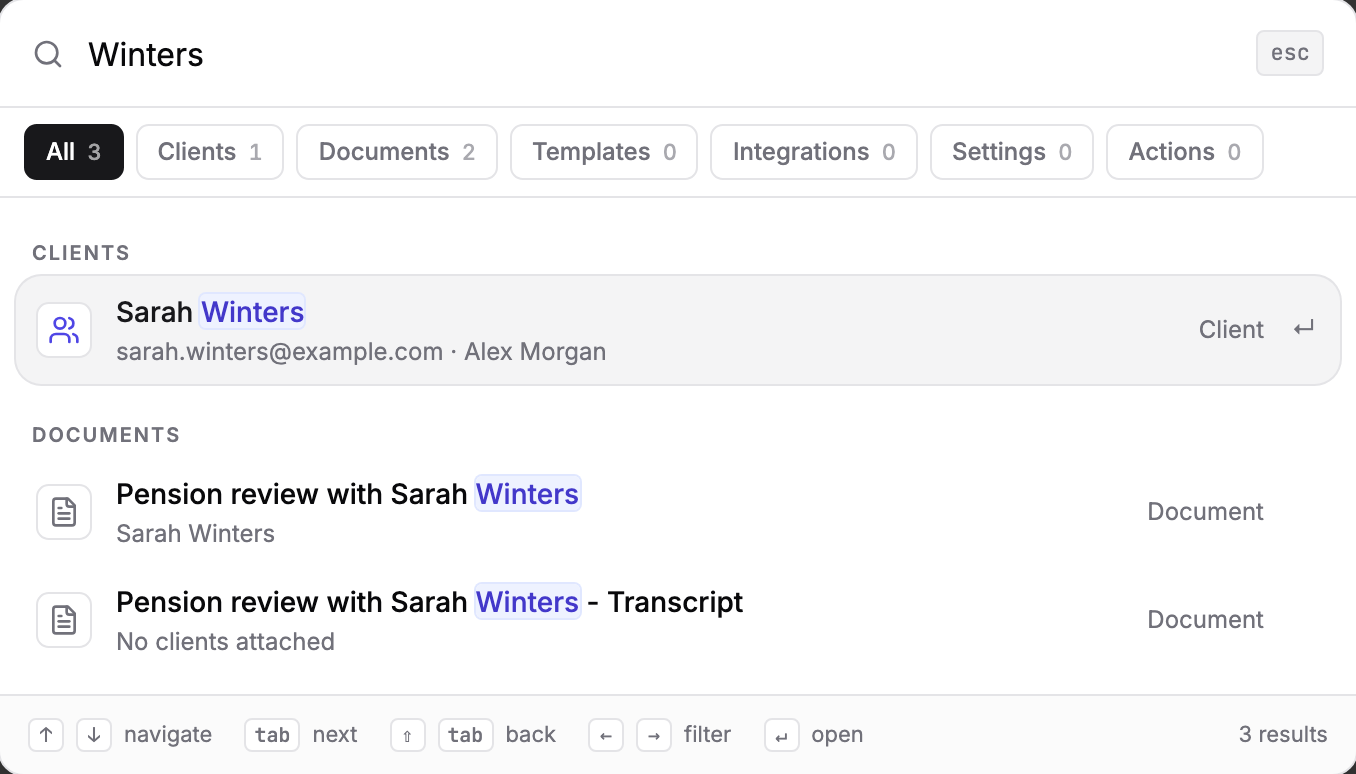
Type part of a name in Search Templi, for example
Wintersorannual review.To narrow the results, click a filter above the list: All, Clients, Documents, Templates, Integrations, Settings or Actions. Each shows how many results it has.
Click a result, or move to it with the arrow keys and press Enter.
Before you type, Search lists your Recent picks so you can jump back to them.
What each result does
Clients open the client hub. The result shows the client's email and adviser so you can tell two clients with the same name apart.
Documents open the document, with the clients it is for underneath.
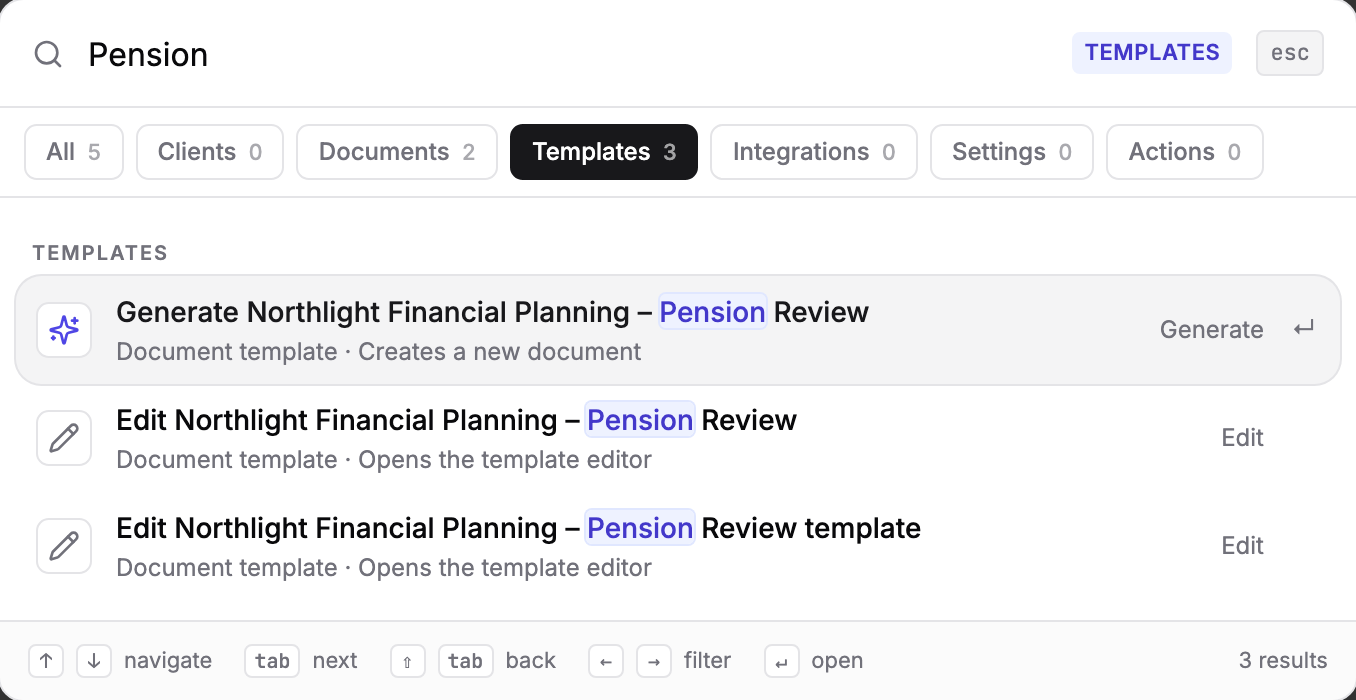
Templates come in pairs. Generate starts a new document from a Word template, and Edit opens the template. For a form, Fill starts a new response and Edit opens the form editor.
Integrations open that connector's page.
Settings open a settings or app page, such as Team, Imports, Billing or Skills.
Actions
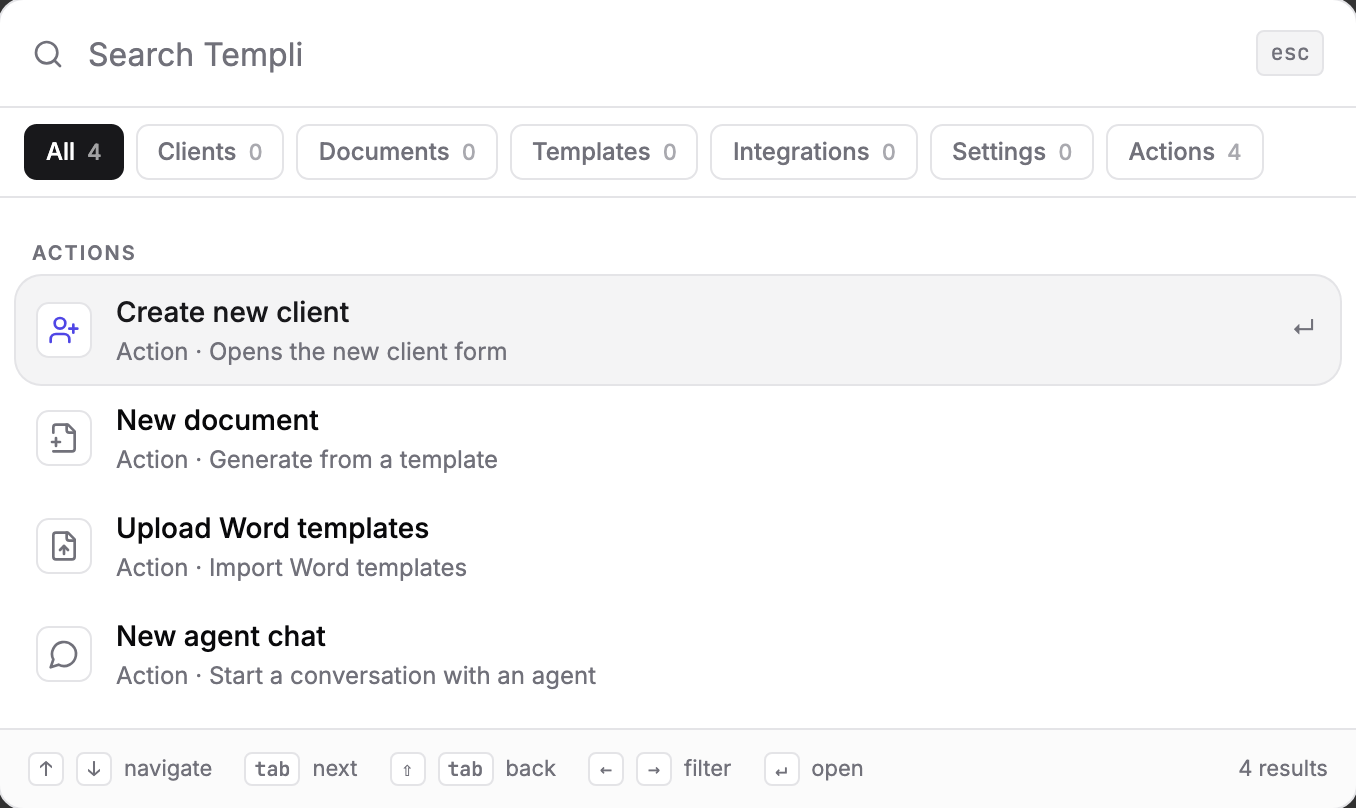
Type what you want to do, or click the Actions filter. Which actions you see depends on your permissions in your firm.
Create new client opens the new client form.
New document lets you pick a template to generate from.
Upload Word templates imports Word files as templates.
New agent chat takes you to Desk to start a chat.
Keyboard shortcuts
Key | What it does |
|---|---|
Up and down arrows | Move through results |
Tab, or Shift+Tab | Move to the next or previous result |
Left and right arrows | Change the filter, while the search box is empty |
Enter | Open the selected result |
Search or ask Templi
Search matches names. When you need an answer rather than a page, ask Templi in a chat instead, for example "Find the suitability report we wrote for Sarah Winters' pension transfer last spring" or "Which clients hold the Northfield Master Trust?"