

Iress Xplan
The Iress Xplan app connects Templi to your firm's Xplan site through Iress Open. Once connected, you can import your advisers and clients, have Templi fill the Xplan fact find from meetings and files, and export the completed fact find straight back into Xplan using your own site's option lists.
What it does
Imports your book. Every adviser and client on your Xplan site can be brought into Templi. See Import your clients.
Fills the fact find. Connecting creates an Xplan Fact Find template and makes it your firm's default. It has eleven sections: personal details and health, contact details, addresses, dependants, goals, income, expenditure, assets, liabilities, consents and risk.
Uses your configuration. Titles, income types, asset types, goal types and the rest are read from your site's own option lists, so what goes back matches what your team already uses.
Writes back. Exporting a completed fact find updates the Xplan client, creating the client first if needed.
Keeps plans in step. Pensions, assets and liabilities import as plans, with their portfolio positions as fund holdings, and a plan you have corrected in Templi can be sent back. See Send a plan to your CRM.
Answers from Xplan. Ask Templi about a client and it reads their Xplan pensions, holdings and policies directly.
Before you connect
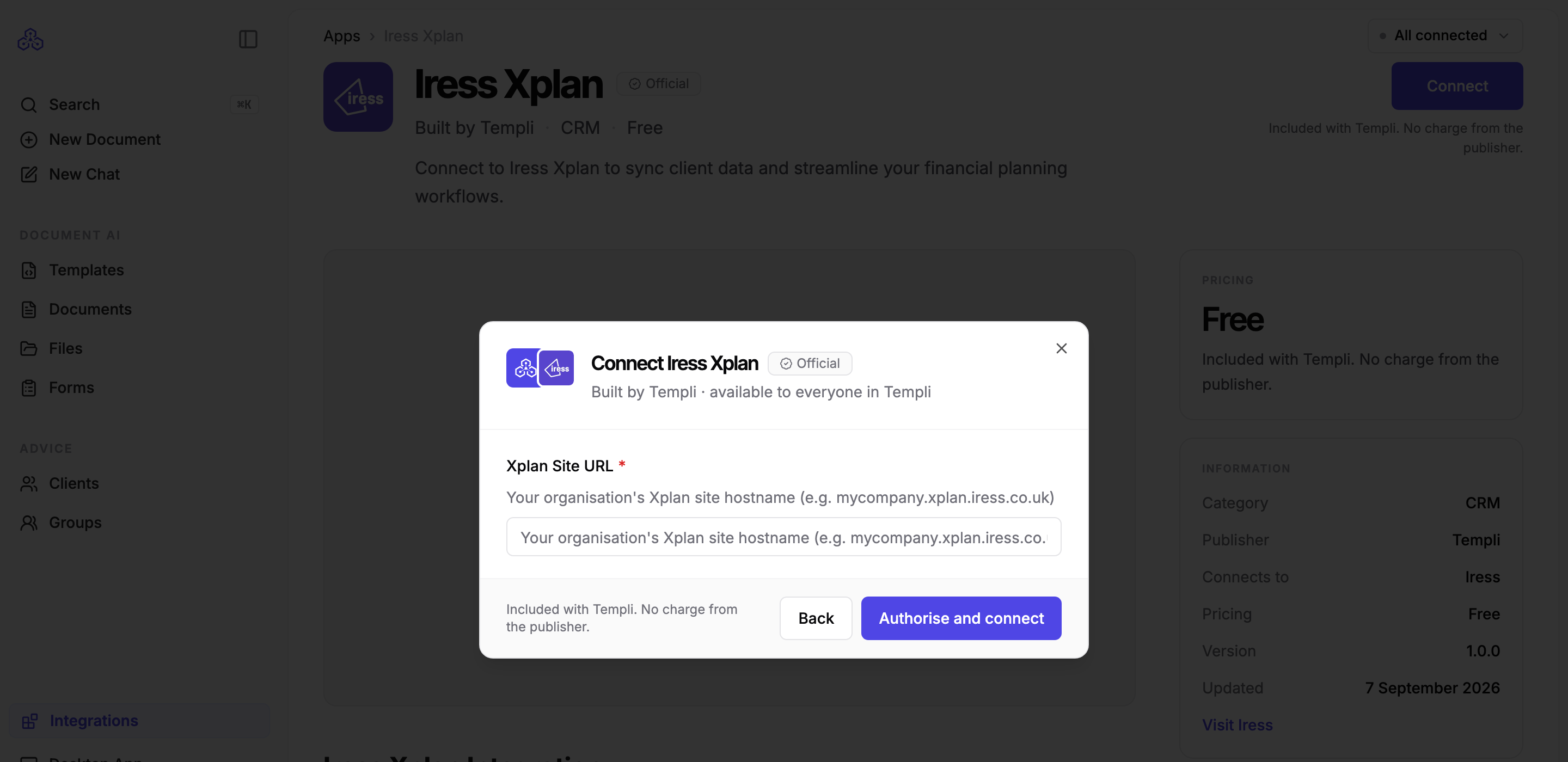
You need your Xplan site address, for example mycompany.xplan.iress.co.uk, and an Xplan site with API access enabled.
We recommend a dedicated Templi service account with access across the whole firm, so the connection reaches every adviser's clients and survives staff changes.
You need an administrator login in Templi. The connection is shared by your whole firm.
Connect
In Templi, click Integrations, open Iress Xplan and click Connect.
Review what the app will be able to do and click Next.
Enter your Xplan site address in Xplan Site URL and click Authorise and connect.
Sign in to Xplan in the tab that opens and approve the connection.
The general steps, and what to do if the app later asks to be reconnected, are in Connect your back-office system.
What is read and what is written back
Fact find area | Imported from Xplan | Exported to Xplan |
|---|---|---|
Personal details and health, contact details, addresses | Yes | Yes |
Dependants, goals | Yes | Yes |
Income, expenditure | Yes | Yes, except items Xplan derives from a plan, which are skipped |
Assets, liabilities | Yes | Yes |
Consents | Yes | Yes |
Risk rating | Yes | Yes |
Employment | No. Held in Templi only | No |
Groups and households | No. Only the partner link between a couple is read | No |
Pensions, assets and liabilities as plans | Yes, with their latest value and, on a pension, the regular contribution | Yes. A protection policy has no Xplan record, so it is reported back to you instead of sent |
Fund holdings | Yes, from the portfolio positions on a pension or asset, with ISIN and SEDOL kept separate from the position code | Never. Xplan's portfolio can only be read |
Documents | No. Xplan provides no document access | No |
Plans and fund holdings
Xplan has no single plan record, so Templi sends each plan to the record it belongs in: a pension to the pension record, an investment or a plan left as Other to an asset, and a mortgage to a liability.
Xplan will not take fund holdings. Its portfolio can only be read, so the funds inside a plan stay in Templi and are listed as not sent every time you send that plan. This is a limit of Xplan itself, not something to correct in Templi.
Protection has no Xplan record. A protection plan is reported back to you rather than created. Set the policy up in Xplan once, import it, and Templi keeps it updated from then on.
Record types come from your own site. A new asset or liability needs a type your site offers. If none of the plan's details match one, the plan is not created and you are told to set it up in Xplan once. Templi never overwrites a type an adviser has already chosen.
One value per record. Templi sends the most recent valuation. The rest stay in Templi and are listed as superseded on the send.
One regular contribution on a pension. Xplan holds a single employee or employer contribution on a pension and none at all on an asset or liability, so anything further stays in Templi.
Every owner needs an Xplan record. A joint plan is held back while one of its clients is missing from Xplan, because the ownership split would be recorded wrongly. Send the client first, then the plan.
Update a plan through chat
Ask Templi on the client's record. It changes the plan in Templi first, then asks you to approve the send.
Add a fund and send it
Add the Vanguard LifeStrategy 60% Equity fund to Margaret's SIPP, 8,400 units at £2.11, then send the plan to Xplan.
The fund is recorded on the plan in Templi. When the plan is sent, the pension record and its value reach Xplan and the fund comes back listed as not sent.
Correct a plan and send it
Margaret's SIPP has the wrong provider, it should be AJ Bell. Fix it and send the plan to Xplan.
Xplan matches the provider against your site's own list, so a name your site does not carry is left off the record rather than added to it.
Ask what will be sent
If I send Margaret's SIPP to Xplan, will the funds inside it go across too?
Templi reads the plan and answers before anything is sent, naming the funds Xplan will not take.
Limits to know about
No groups. Xplan does not provide group or household data, so Templi cannot create groups from an Xplan import. Only the partner relationship comes across. Create other groups in Templi by hand.
Advisers arrive without email addresses. Templi suggests matches by name, and inviting an adviser asks you to type their email.
Employment stays in Templi. Xplan's connection has no employment record, so occupation and employer are held in Templi only. Salary still syncs as income.
Insurance can be created but not updated in Xplan. Client notes are write-only in Xplan and are not read.
A section your site does not expose is skipped during import, with a warning, rather than failing the client.
A fund's asset class is usually blank. Xplan states no sector on a portfolio position, so Templi does not guess one from the fund name.