

Usage
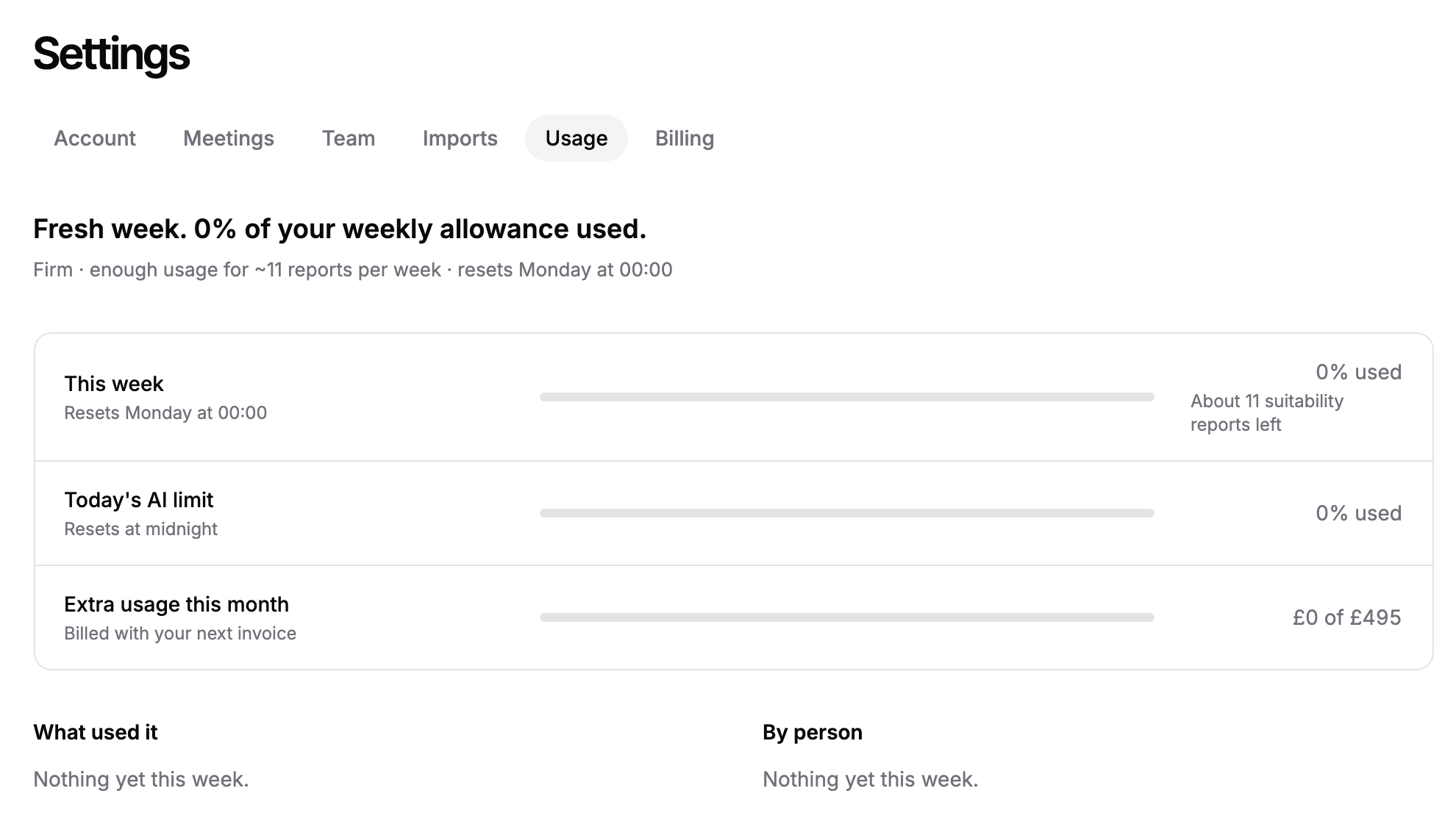
The Usage tab shows how much of your firm's weekly AI allowance has been used, what used it and who, and when it resets. The allowance is shared by everyone at your firm, and we describe it as roughly how many reports it covers.
Where to find it
Click Settings in the sidebar, then the Usage tab, or go to https://app.templi.ai/settings/usage. The tab appears once your firm is on a plan.
What the tab shows
The heading sums up the week, for example how much of the allowance is used and roughly how many reports are left before the reset. Under it, your plan name, its allowance and the reset time.
This week is the share of the weekly allowance used so far, with roughly how many reports are left.
Today's AI limit is a daily cap on chat, so one busy day cannot use the whole week. It resets at midnight.
Extra usage this month appears on paid plans. It shows what you have spent past the weekly allowance this month, against your monthly limit, and is billed with your next invoice.
What used it splits the week's usage by kind of work, such as chat, generation, meeting notes, recording, fact finds, tagging and compliance.
By person splits it by team member. Someone who has left shows as Former member.
When the allowance resets
The weekly allowance resets every Monday at 00:00 UK time. Today's AI limit resets at midnight UK time.
What happens when it runs out
The heading on the tab changes as the week goes on.
Below 80%, it shows the share used and roughly how many reports are left.
From 80%, the This week bar turns amber as a warning that the allowance is running low.
At 100% on a paid plan, new work carries on as extra usage, up to your monthly limit.
When the monthly extra usage limit is reached, or the plan has no extra usage, new work pauses until the weekly reset.
Work that is already running always finishes. On the Free plan, work stops at 100% until the week resets.
If you manage billing, the Usage tab shows See plans, Raise limit or Change limit when you are close to or past the allowance. Everyone else sees a button such as Ask an admin, which starts an email to the people who can change the plan.
Ask Templi
Ask Templi about allowances and it answers from this help centre. For example:
We ran out of allowance on Thursday while drafting annual review reports. When does it reset, and how do we raise the limit?