

One-off documents
Ask Templi to draft a letter, agenda, file note or any other document you only need once. You do not need a template: describe what you want, and Templi writes it as a Word document with the client's details and your firm's styling.
Draft a document
Open Ask Templi.
Describe the document, who it is for and anything it must say. Attach any files it should use.
Send it.
Templi writes the document in your firm's theme colours and fonts, opens it beside the chat, and tells you anything it left for you to fill in, such as an address that is not on the client's record.
Examples
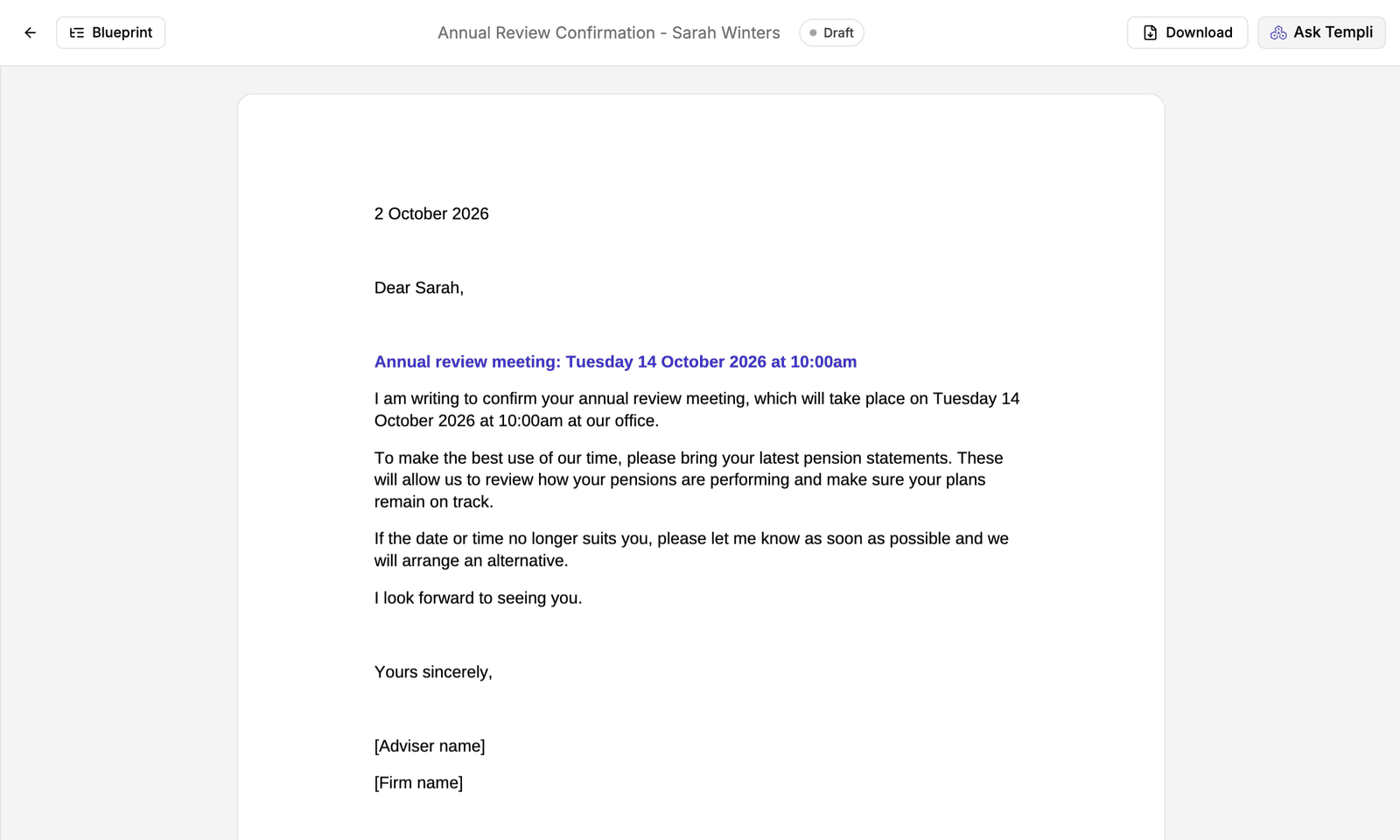
"Draft a short letter to Sarah Winters confirming her annual review on Tuesday 14 October at 10am, and ask her to bring her latest pension statements."
"Write a meeting agenda for James and Helen Carter's annual review, one hour, covering their pensions, ISAs and protection."
"Write a file note of today's call with Priya Patel about her pension transfer, from the attached call notes."
"Draft a letter of authority for Michael O'Connor to request information from Northfield Master Trust."
Change or download it
Ask for changes in the same chat, or click Ask Templi on the document, for example "Make it more formal" or "Add our office address under the date". Click Download on the document to save it as Word or PDF.
If you find yourself writing the same document for many clients, make it a template instead. See Import your templates.