Add a knowledge note
Add a knowledge note when something about your firm should hold for every future piece of work, such as the name of your ongoing advice charge or the order of your suitability report sections. You write it once in Customise > Knowledge, or tell Templi in chat, and every report, form and meeting write-up follows it. For what knowledge is and how Templi uses it, see How Templi learns your firm's way of working.
Before you start
Owners, Admins and Members can add, change and delete notes. Readers can open them but not change them.
Where to find it
Go to Customise > Knowledge in the sidebar, at https://app.templi.ai/customise/knowledge. Older links to Settings > Knowledge open the same page.
A new note opens at
https://app.templi.ai/customise/knowledge/new.Each note has its own page at
https://app.templi.ai/customise/knowledge/<note>.
The list shows every note with its description and when it was last updated. Use Search knowledge to find one.
Add a note
In Customise > Knowledge, click Add.
Under Note name, give it a name that says what it covers, such as Charges glossary. Each name can be used once.
Under Description, write one line on when Templi should open it, rather than restating the name. Templi reads this to decide whether the note is relevant.
Choose when Templi loads it (see below) and pick a Category.
Write what Templi should know in the space underneath, in plain words. Headings and lists help it find the right part.
Click Save.
Until you save, the note is a draft and Templi does not use it.
Choose when Templi reads it
New notes are set to When relevant, which suits most subjects. Change Templi loads it when a note has to shape every piece of work, or should stay out of the way.
Option | What Templi does |
|---|---|
When relevant | Sees the note's name and description, and opens it when the work calls for it. |
Always load | Reads the whole note on every run of the agents you choose under Used by. |
Manual only | Hides the note until someone names it, or a skill points to it. |
With Always load, choose the agents under Used by: Document generation, Fact find and forms, Meetings, Compliance or Assistant chat. A note set to Always load with no agents chosen is not read in full anywhere.
Always-loaded notes take up room Templi would otherwise use for your client's circumstances. Templi reads up to 40,000 characters of them on each run and cuts off the rest, so keep them short.
The list shows always loaded or manual only under a note's name.
What makes a good note
One subject per note. A report that needs your charge terminology should not have to read your section order to get it.
Write the rule, not the reasoning. "Never write adviser fee; it is always an advice charge" is usable. "We care about clear language" is not.
Give the exception where there is one, in the same note.
Use a table when you are mapping one thing to another, such as an internal abbreviation to the client-facing term.
Leave out anything true of UK advice generally. Notes are for what is specific to your firm.
Change a note
Open the note from the list and edit its name, description, settings or text in place. Save appears once you change something.
Ask Templi to update starts a chat where Templi reads the note and asks what should change.
Ask about this note starts a chat about the note, for example to check whether it covers a case.
More > Changes lists every version, newest first, with who made it. Click Restore on a version to go back to it.
Delete a note
Open the note and click More > Delete, or use the menu on its row in the list, then confirm with Delete entry. The note is permanently deleted and Templi can no longer read it.
Templi notes
Notes marked Templi baseline come from us and are read-only. To replace one for your firm, write your own note with the same name.
Ask Templi to write it for you
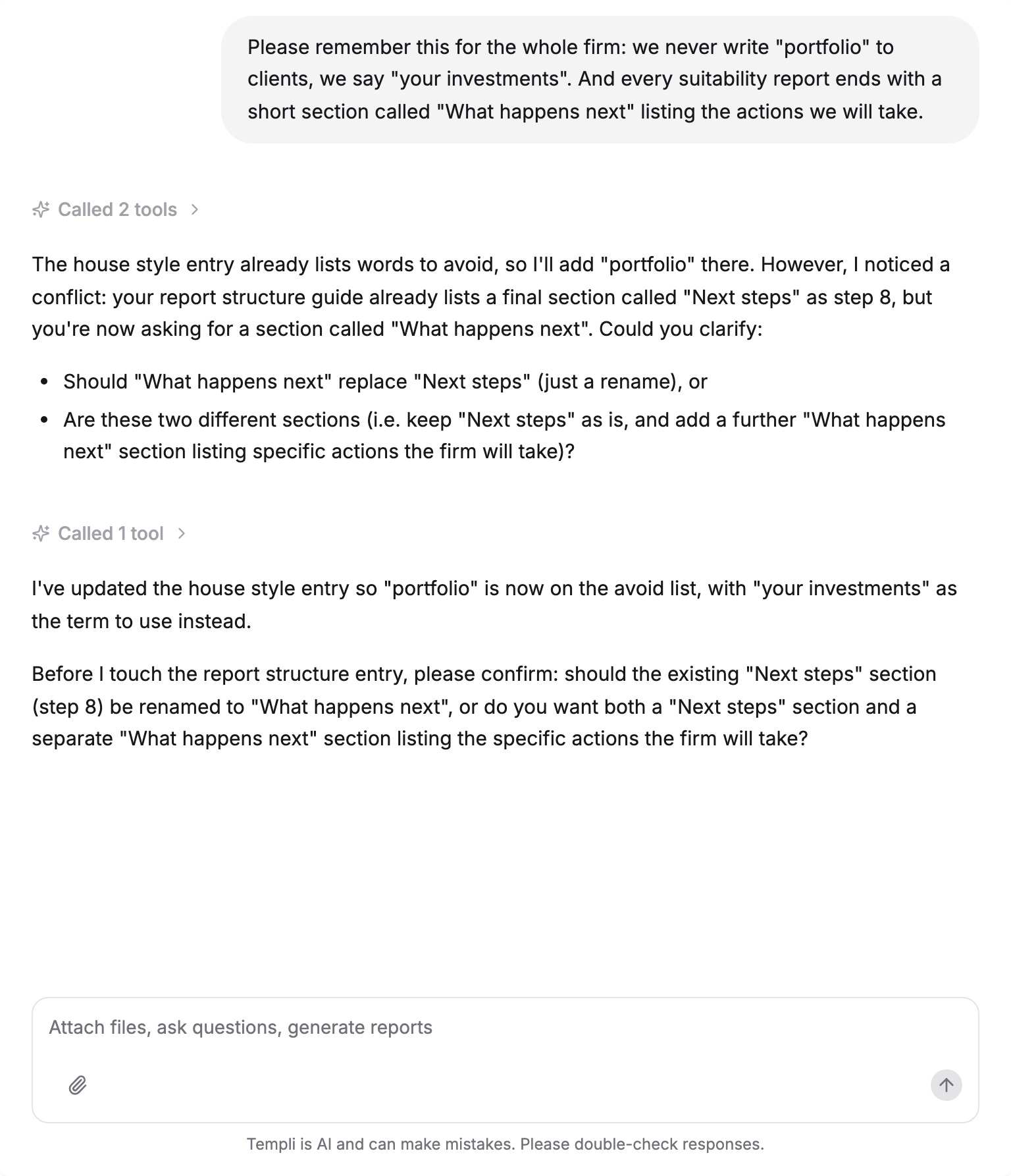
You do not have to use this screen. Tell Templi in any chat how your firm does something and it creates or extends the note itself, then tells you which one it wrote to. For example, Please remember this for the whole firm: we never write portfolio to clients, we say your investments. Or, Add to our knowledge that annual reviews always cover the client's State Pension forecast and any changes to their ISA allowance.
If what you have said contradicts an existing note, Templi stops and asks you first, quoting both versions.