

Prompts
A prompt is an instruction written into the template that Templi replaces with real wording for each client. "Insert the pension provider, plan type and current fund value" becomes a sentence about the client's actual Aviva plan when the report is generated. Prompts are the most used block in any template, and the quality of the report follows the quality of the prompts.
Ask Templi to add one
Click Ask Templi in the top bar to open the side panel.
Say where the prompt goes and what it should write, for example: Under "Our recommendation" in my Pension Switch Suitability Report, add a prompt that explains why the switch is suitable, covering charges, fund choice and the client's attitude to risk.
Send it. Templi adds the prompt and shows it in the template while the Ask Templi side panel stays open.
Turn text into a prompt yourself
Write the instruction as a normal sentence, then make it a prompt.
Highlight the sentence or paragraph.
Click Convert to prompt in the menu that appears.
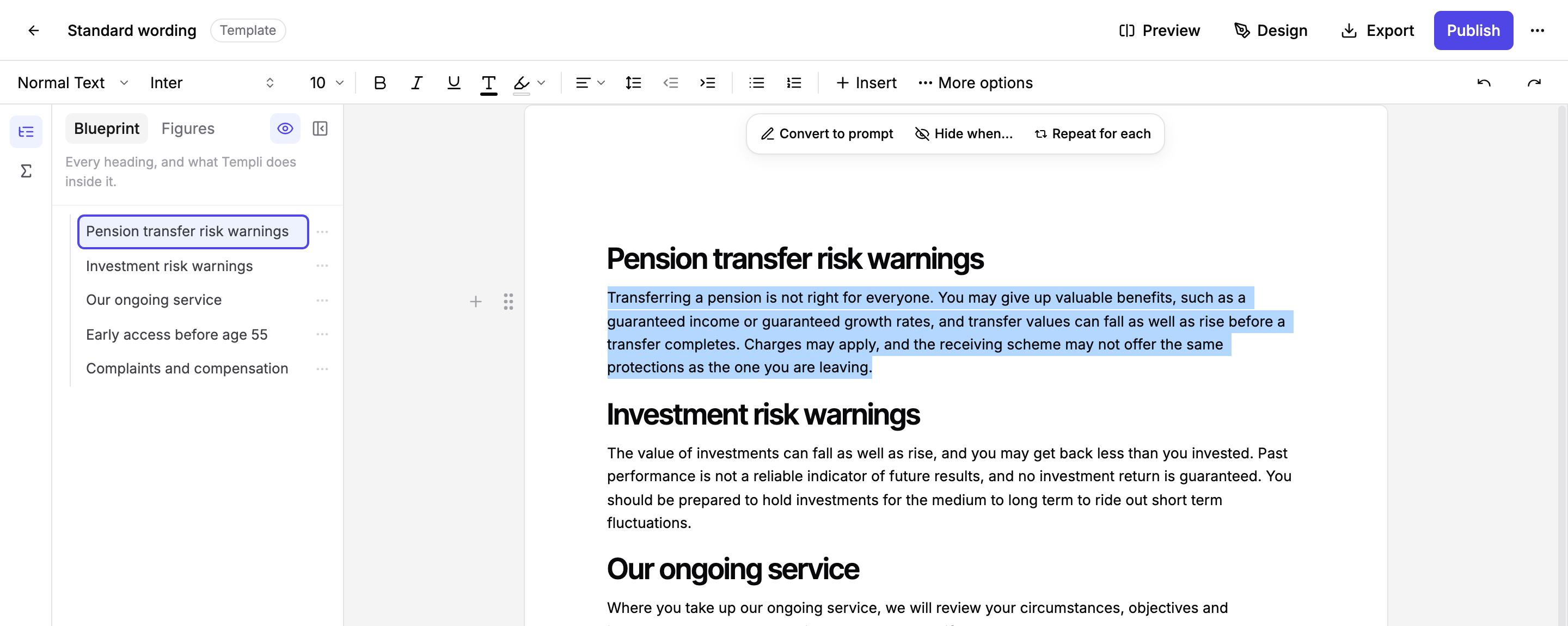
The text is shaded and gets a prompt marker in the margin. Click it and choose Change this to open its settings.
Prompt settings
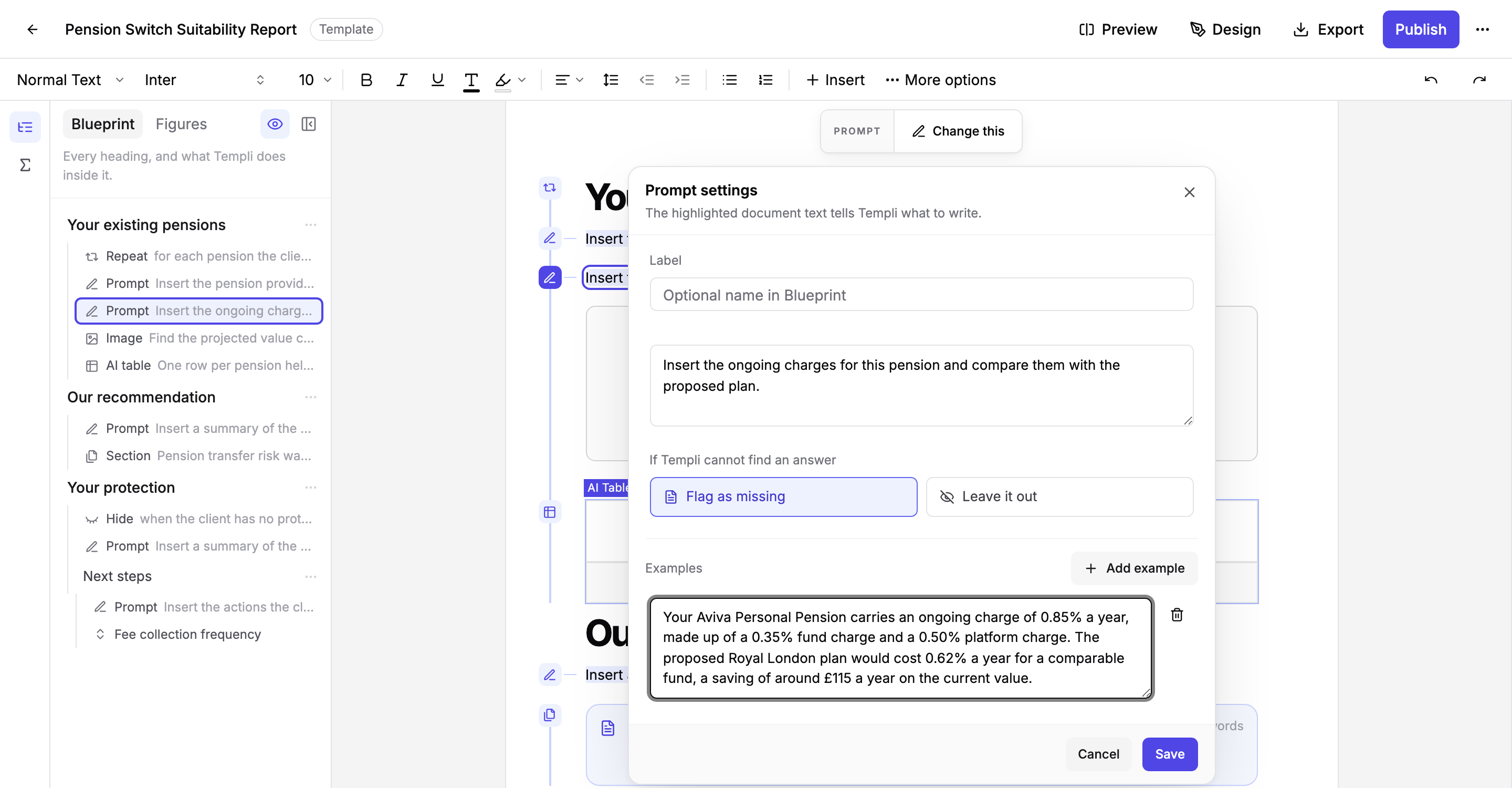
Label gives the prompt a short name in the Blueprint panel, such as "Charges comparison", in place of the first words of the instruction.
The instruction is the highlighted text. Say what to include, in the order you want it, as you would brief a colleague.
If Templi cannot find an answer decides what happens when the client's details do not cover the question. Flag as missing leaves a red marker so you see it before the report goes out. Leave it out drops the sentence quietly, which suits optional detail.
Examples show Templi how your firm writes. Click Add example and paste a finished paragraph from a real report with the client details changed. Templi matches its tone, length and structure.
What happens when you generate a report
Templi reads the client's details from every source it has, including the fact find, attached files and your back-office system, and writes the paragraph fresh for that client. Inside a repeated section, the same prompt is rewritten for each copy, so it describes one pension at a time.
Hover a prompt in the generated report to see where the answer came from. A red marker means Templi could not find the answer and you chose to be told.
Writing prompts that generate well
One prompt per paragraph. A prompt that asks for six things in one go produces a wall of text.
Name the facts you want: provider, plan type, value, date of valuation. Vague prompts produce vague paragraphs.
Add an example whenever the wording matters. This is the single biggest improvement you can make.
Put a prompt that only applies to some clients under a heading with a hide rule, rather than asking the prompt to decide.